
[Let’s welcome to the blog Ananya Iyer, Project Manager of the Blueprint Team at Stevens University! Thanks for joining us, Ananya, and thanks to her team and the entire Blueprint project for this successful partnership –Ed.]

We are excited to introduce the new HSDS Transformer tool! The HSDS 3.x transformer is designed to help resource data managers, system administrators, and anyone working to improve the quality of resource directory data in their community. The tool enables users to translate their directory data into the Human Service Data Specifications, and then transform their data into standardized output for exchange and use in any compatible systems.
Check out the transformer here: stevensblueprint/hsds-transformer: HSDS data transformer
Watch a video walkthrough of the tool here.
What we built and why:
Most resource directories contain pretty similar kinds of information – data about organizations, the services they provide, and the locations where they’re delivered – but there is a wide range of variation in how people structure this information in different directories.
These directories might be managed in many different contexts – from part-time staff at grassroots organizations maintaining excel files, to enterprise Community Navigation systems managing statewide directories with thousands of records – and many of these could benefit from collaborating with each other in some way. HSDS makes this kind of collaboration possible, but it takes time to translate a nonstandard directory schema field-by-field into the standard format, and then it requires technical capacities to actually transform the data.
The HSDS Transformer makes this process much easier. This tool upgrades and replaces the original (deprecated) HSDS Transformer. It helps users with any source of resource directory data – when formatted in CSV files – go through the process of mapping their schema to HSDS.
The Transformer’s HSDS Mapping template is here: Mapping Template
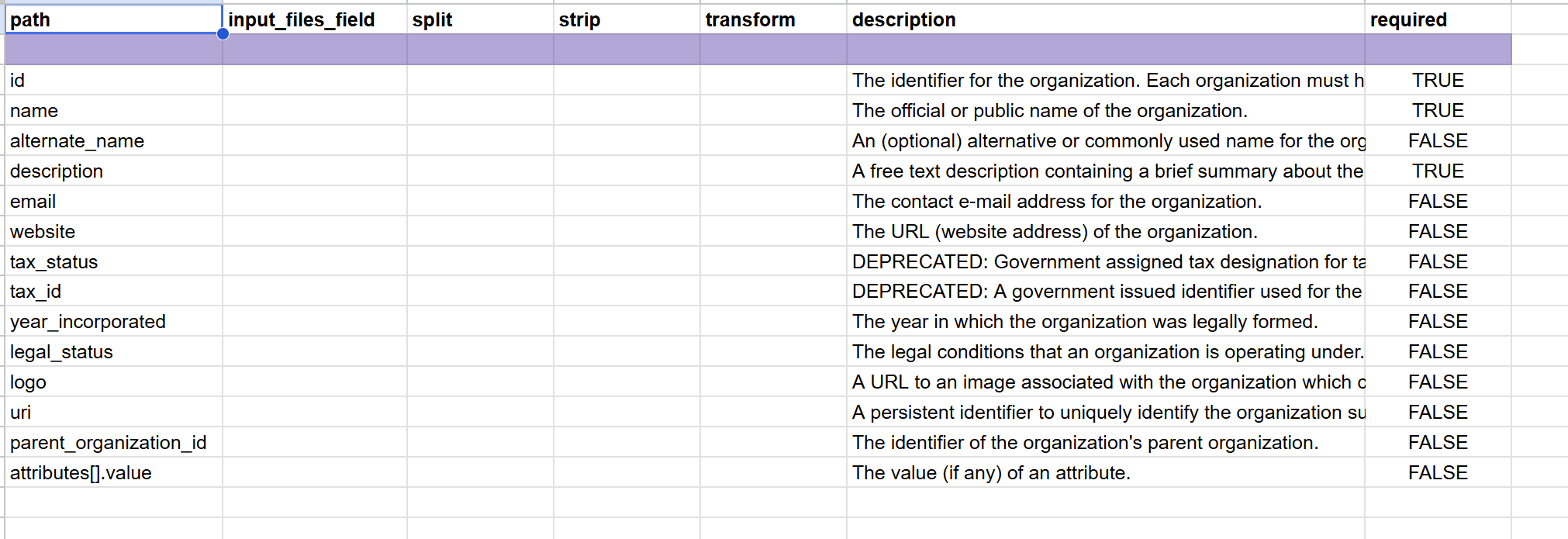
The Transformer uses a completed schema map to automatically transform nonstandard source data into HSDS 3.x JSON schema objects.
How it works:
The mapping template is a set of spreadsheets that tells the transformer how the input data maps to related fields in HSDS. The mapping template can be generated from any given HSDS profile or schema from the HSDS data repository, so it can evolve along with HSDS itself through iterative versions.
The core of the HSDS transformer is a command-line tool: given source files and a schema map in CSV format, the user can run one command with a large variety of options in order to transform those files into HSDS.
As the last phase of our project, we’ve also enabled the HSDS Transformer to be used through a web-based UI. See here: https://hsds.sitblueprint.com/
To access the code base, see here: https://github.com/stevensblueprint/hsds-transformer-ui
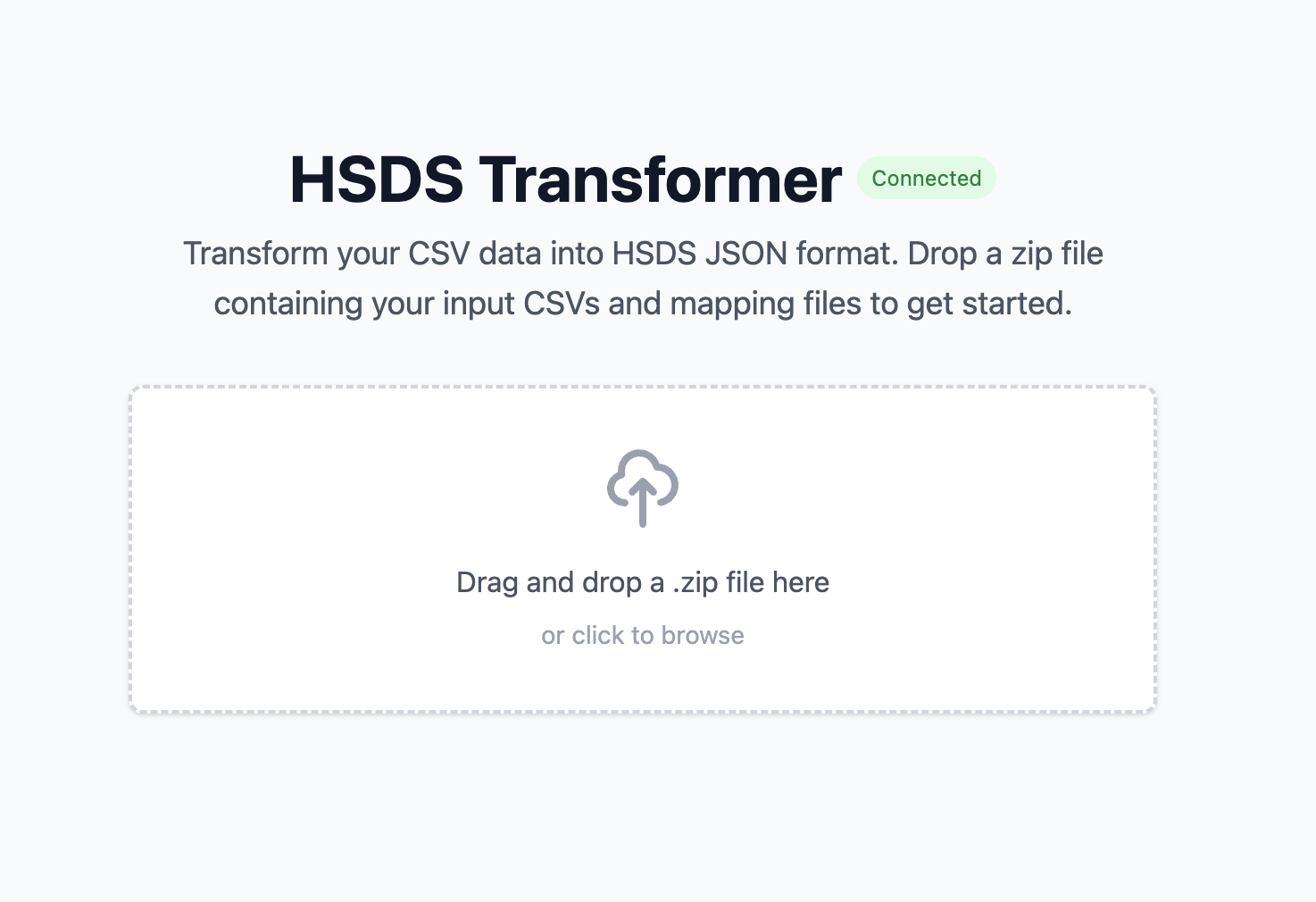
This UI is for users who might not be comfortable with command-line interfaces and data processing tools: they can simply zip their source files and map files up, and just load it into the web app – rather than having to download and run a command-line program with all of the technical capacity that would entail.
The HSDS Transformer also exposes an API, which currently serves as the backend for the web-based user interface. In addition to supporting standard transformation requests, the API is being expanded to experimentally support “streaming” workflows for continuous publication of data. Rather than relying entirely on batch uploads and transformations, this approach would allow data to be processed and published incrementally as updates occur, enabling more automated and real-time integration pipelines.
The tool also enables various kinds of custom transformations – allowing users to define specific operations such as cleaning text, splitting fields, or combining values directly within the mapping configuration rather than modifying the transformer’s source code. This keeps the system modular and easier to maintain, while giving users the flexibility to adapt transformations to their specific data formats.
The tool includes options for specifying output directories and generating new IDs based on UUID5. It also supports more advanced data handling, such as linking multiple CSV files by shared IDs, splitting values within cells into multiple objects, and applying transformations like stripping unwanted characters or parsing lists.
Finally, we’ve also enabled reverse transformation for simple cases. If a user wants to be able to receive data from an HSDS-compliant source, and bring that into their source directory system, the tool can enable users to “reverse transform” data from the standard back into their own schema. This can be built upon to handle special cases, so that parties can ultimately enable two-way exchange of data using HSDS as the translation layer.
What might come next:
The Blueprint Team has finished this phase of the project, but has made recommendations for what might come next, including:
- Improving the mapping process (with guidance documentation, and possibly the use of LLM-powered assistants).
- Upgrading the API streaming capability to support pipeline orchestration, so that complex systems can implement the Transformer as part of their infrastructure to support the real-time publication of standardized directory data.
- Extending the reverse transformation to support more complicated cases
- Tighter integration with the HSDS validator and other tools for data quality improvement and exchange.
What do you think?
Try out the Transformer through the CLI tool or via the user interface we created here!
Developers interested in extending the project can also contribute directly to the codebase. Feedback and feature suggestions are encouraged through the issue queue and community discussion forums. Your input can help guide future development of the transformer.
Thanks to the people who worked on this project as part of the Stevens Blueprint team:
Alexis Emerson Alexis Emerson | LinkedIn
Ananya Iyer Ananya Iyer | LinkedIn
Sofia Martinez https://www.linkedin.com/in/sofia-m12
Owen Ungaro https://www.linkedin.com/in/owen-ungaro
Daniel Llonch https://www.linkedin.com/in/daniel-llonch
Shiven Pandya https://www.linkedin.com/in/shivenpandya06
Luke Brevoort https://www.linkedin.com/in/luke-brevoort-6a545626a/
Connor Kravatz https://www.linkedin.com/in/kravatz
Brandon Lau https://www.linkedin.com/in/blau700/
Do you want to work with us?
Blueprint at Stevens Institute of Technology is dedicated to developing free technical solutions for non-profit organizations. We are a team of driven students who are eager to apply our skills to real world problems, create and implement new vital solutions, and contribute to the technology used by non-profits.
Working with Open Referral over the past year has truly been a delight—it has been an honor to work with and contribute to this community!
We are currently looking for new projects to work on in the coming years and are eager to hear about what we can contribute to your organization! Each of our developers is a student with relevant experience who is committed to contributing to projects that benefit communities. If you are interested in collaborating with Stevens Blueprint, or have any questions, please contact us at [email protected] or take a look at our website: Stevens Blueprint!
Leave a Reply